> ## Documentation Index
> Fetch the complete documentation index at: https://docs.phare.io/llms.txt
> Use this file to discover all available pages before exploring further.
# Overview
> Seamlessly connect your favorite apps and services with Phare
Phare plays nicely with other tools, making it easy to integrate with your preferred apps and services. Whether you want to receive alerts in your favorite chat app, or send JSON data to a third-party service, you should be covered.
Setting up integrations is a breeze, visit your integrations dashboard to get started. Create as many connections as you need to ensure the right people have access to the right information.
 ## Alert integrations
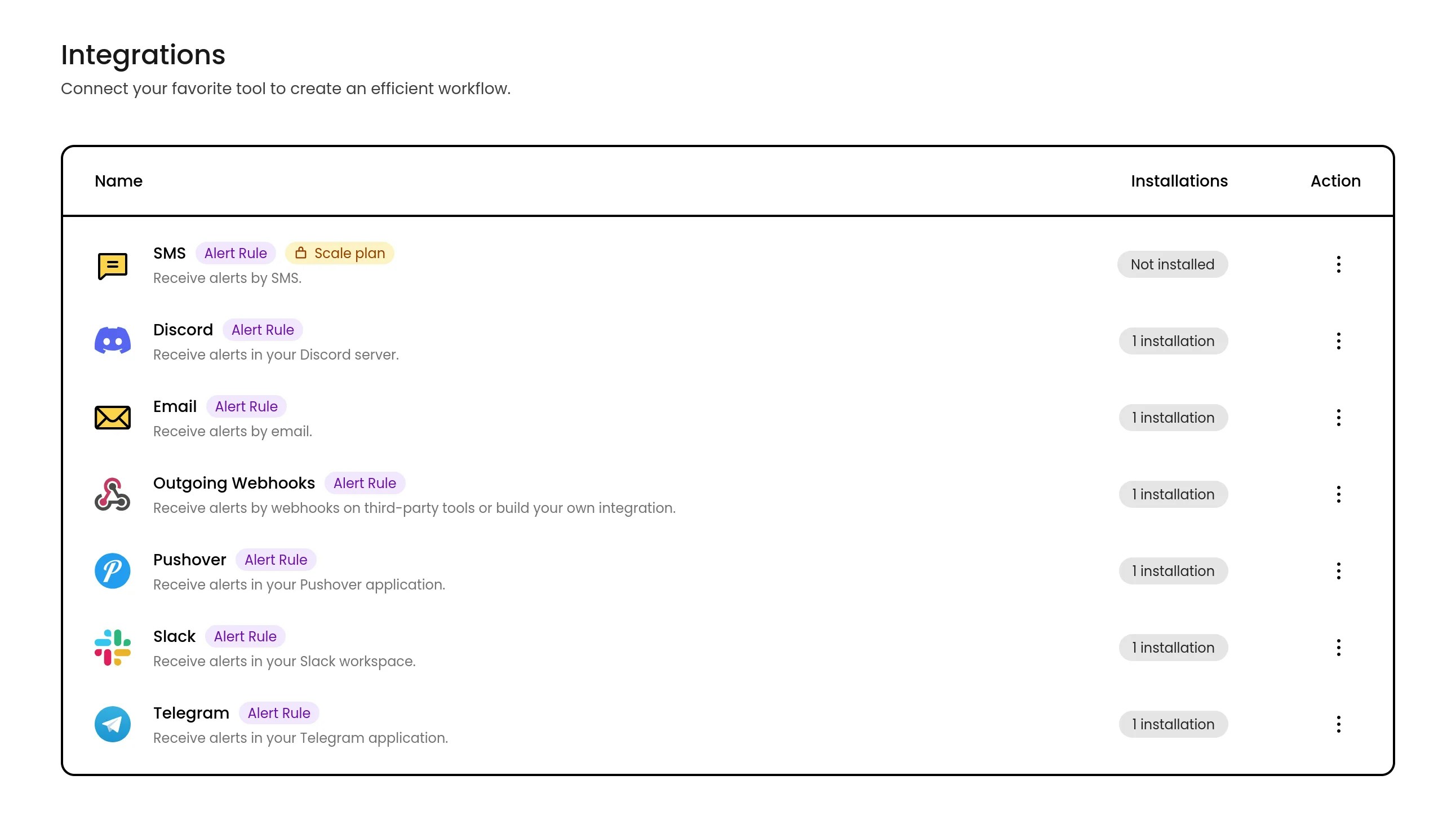
Alert integrations are notification channels that can be used when configuring [alert rules](/uptime/alerting). By choosing the right integration for each alert rule, you can make sure the right people get notified on their preferred platforms.
Here's the list of available alert integrations:
### Resilience
All alert integrations are designed to be resilient and deliver notifications during critical moments. An aggressive retry strategy ensures that if any notification fails to send, it will be retried until it goes through. This means you can rest easy knowing that alert recipients are notified, even if there are temporary hiccups in the connection or with third-party services. In case a notification still fails after multiple attempts, Phare will log the error and notify the organization owner by email, so action can be taken if needed.
Emails are sent through two different SMTP providers, [Scaleway](https://www.scaleway.com/) and [Brevo](https://www.brevo.com/), ensuring redundancy and reliability. If one provider experiences issues, the other will step in to deliver your alerts.
### Detailed logs
## Alert integrations
Alert integrations are notification channels that can be used when configuring [alert rules](/uptime/alerting). By choosing the right integration for each alert rule, you can make sure the right people get notified on their preferred platforms.
Here's the list of available alert integrations:
### Resilience
All alert integrations are designed to be resilient and deliver notifications during critical moments. An aggressive retry strategy ensures that if any notification fails to send, it will be retried until it goes through. This means you can rest easy knowing that alert recipients are notified, even if there are temporary hiccups in the connection or with third-party services. In case a notification still fails after multiple attempts, Phare will log the error and notify the organization owner by email, so action can be taken if needed.
Emails are sent through two different SMTP providers, [Scaleway](https://www.scaleway.com/) and [Brevo](https://www.brevo.com/), ensuring redundancy and reliability. If one provider experiences issues, the other will step in to deliver your alerts.
### Detailed logs
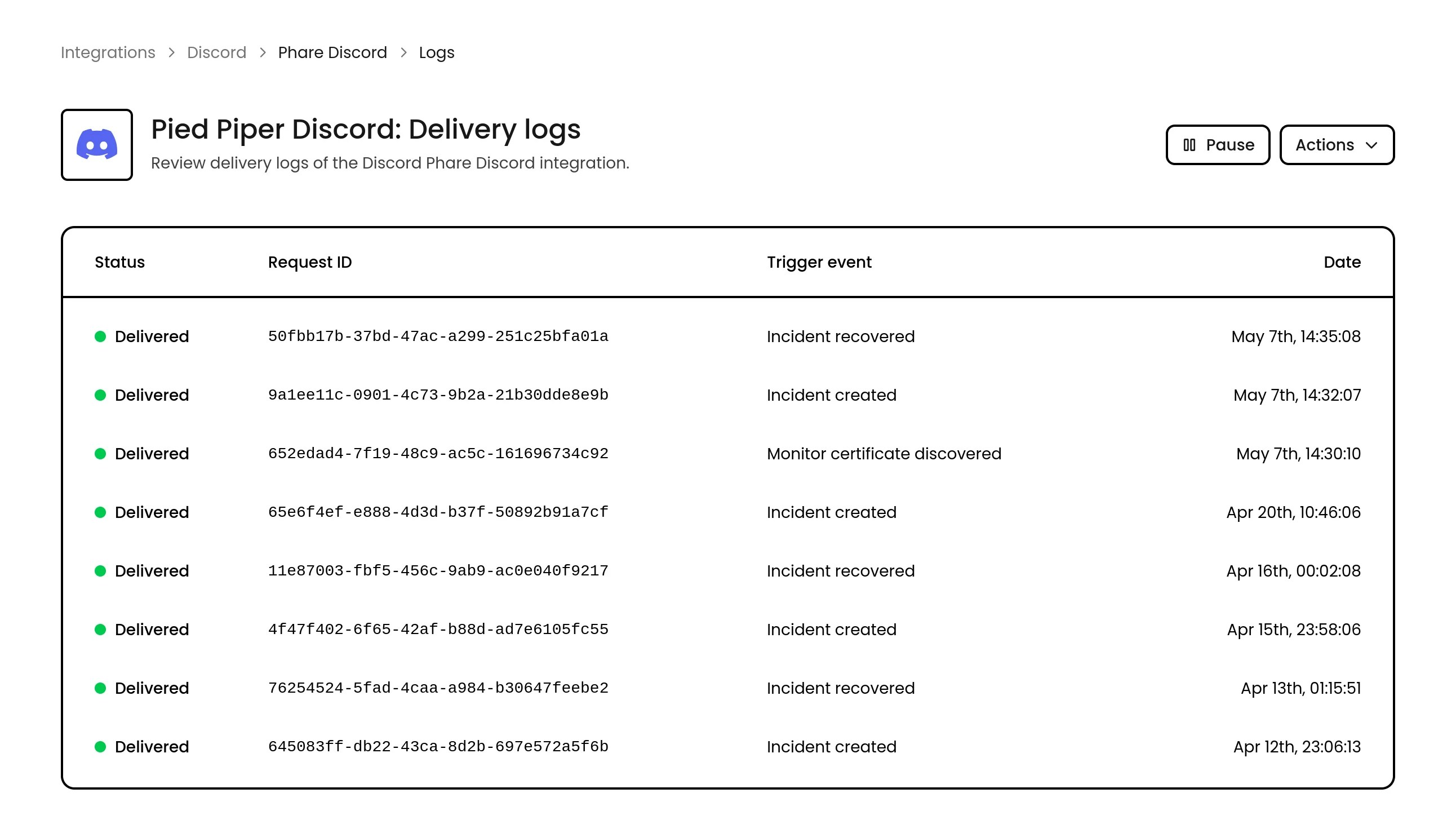 Detailed logs of all sent notifications are available in the Phare dashboard, so you can easily track the status of your alerts and troubleshoot any issues.
***
Is a favorite tool missing from this list? [Contact support](https://phare.io/contact) to have it added to the roadmap.
Detailed logs of all sent notifications are available in the Phare dashboard, so you can easily track the status of your alerts and troubleshoot any issues.
***
Is a favorite tool missing from this list? [Contact support](https://phare.io/contact) to have it added to the roadmap.