> ## Documentation Index
> Fetch the complete documentation index at: https://docs.phare.io/llms.txt
> Use this file to discover all available pages before exploring further.
# Status pages
> Keep your customers in the loop with a sleek status page. Build trust with transparent communication on incidents and maintenance periods.
Status pages are your public-facing communication hub during both good times and bad. They show your users the real-time status of your services, any ongoing incidents, and planned maintenance. Status pages by Phare are lightning-fast and [among the most eco-friendly](https://www.websitecarbon.com/website/status-phare-io/) you can find.
## Creating a status page
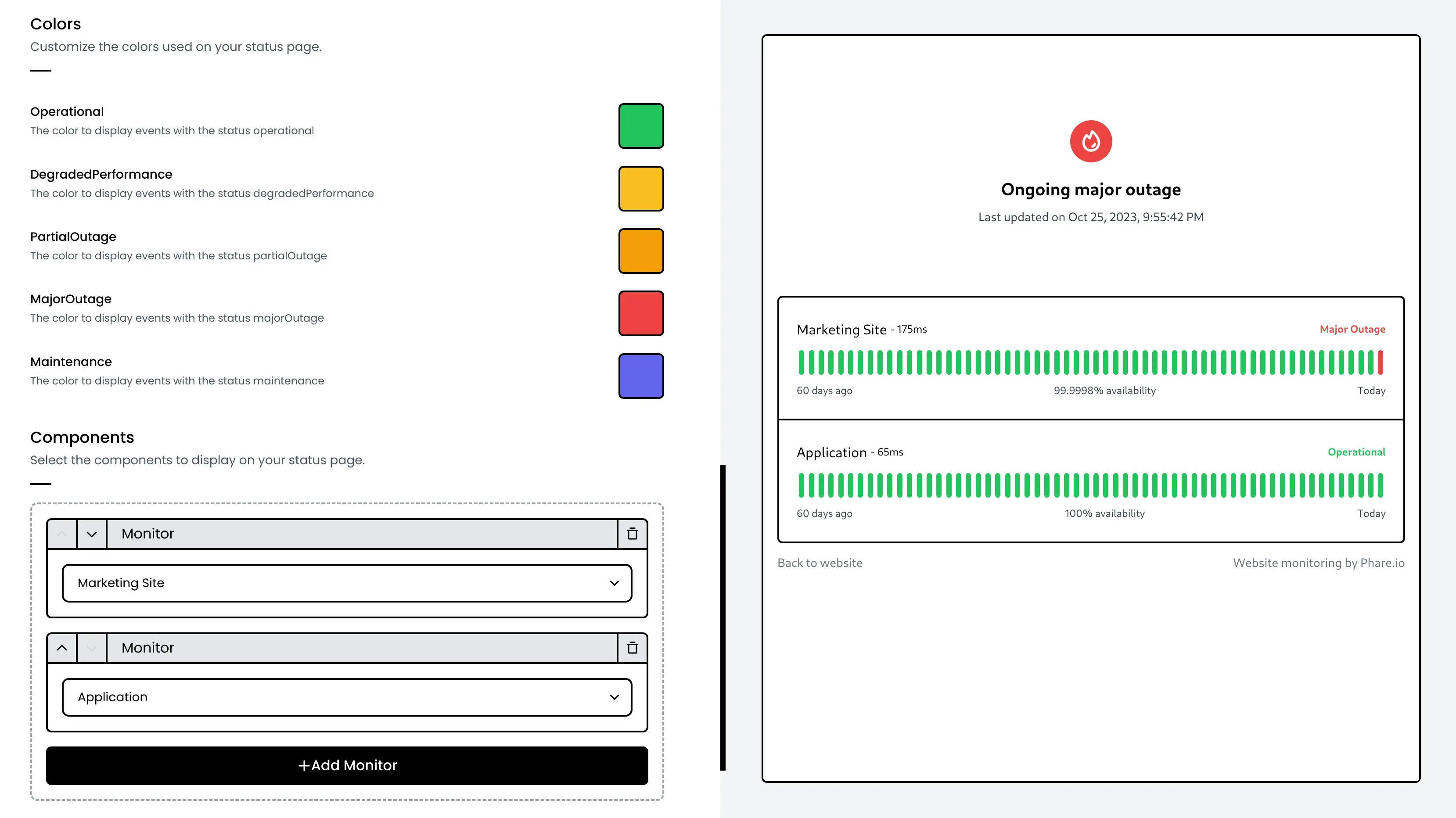
Create as many status pages as your projects need, there's no limit. Pick which monitors to display, customize the look to match your brand, and give Phare a few seconds to generate an SSL certificate, your status page will be ready in no time.
 ## Phare domain
Every status page gets its own `*.status.phare.io` domain name, complete with SSL protection out of the box.
## Custom domain
Want your status page on your own domain? Simply create a CNAME record in your DNS settings pointing to `cname.status.phare.io`:
| Type | Name | Target |
| :---- | :----------------- | :-------------------- |
| CNAME | status.example.com | cname.status.phare.io |
Make sure your DNS is configured correctly so Phare can generate a valid SSL certificate. This usually takes a few minutes. Once verified, your Phare domain will automatically redirect to your custom domain.
### Custom domain with Cloudflare DNS
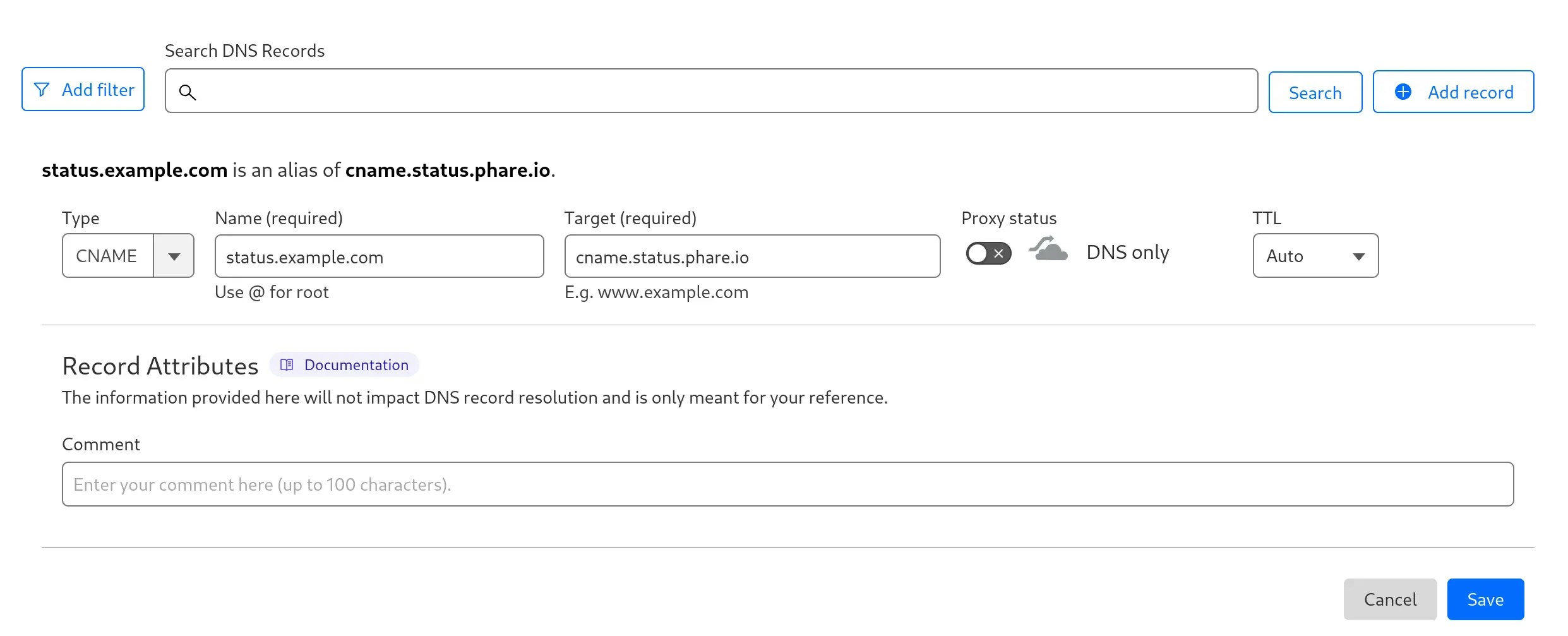
Using Cloudflare? Make sure to create your CNAME with proxy status in `DNS-only` mode (keep the cloud icon gray, not orange) as shown below:
## Phare domain
Every status page gets its own `*.status.phare.io` domain name, complete with SSL protection out of the box.
## Custom domain
Want your status page on your own domain? Simply create a CNAME record in your DNS settings pointing to `cname.status.phare.io`:
| Type | Name | Target |
| :---- | :----------------- | :-------------------- |
| CNAME | status.example.com | cname.status.phare.io |
Make sure your DNS is configured correctly so Phare can generate a valid SSL certificate. This usually takes a few minutes. Once verified, your Phare domain will automatically redirect to your custom domain.
### Custom domain with Cloudflare DNS
Using Cloudflare? Make sure to create your CNAME with proxy status in `DNS-only` mode (keep the cloud icon gray, not orange) as shown below:
 ### Custom domain with Bunny.net
Hello fellow Bunny enthusiast!
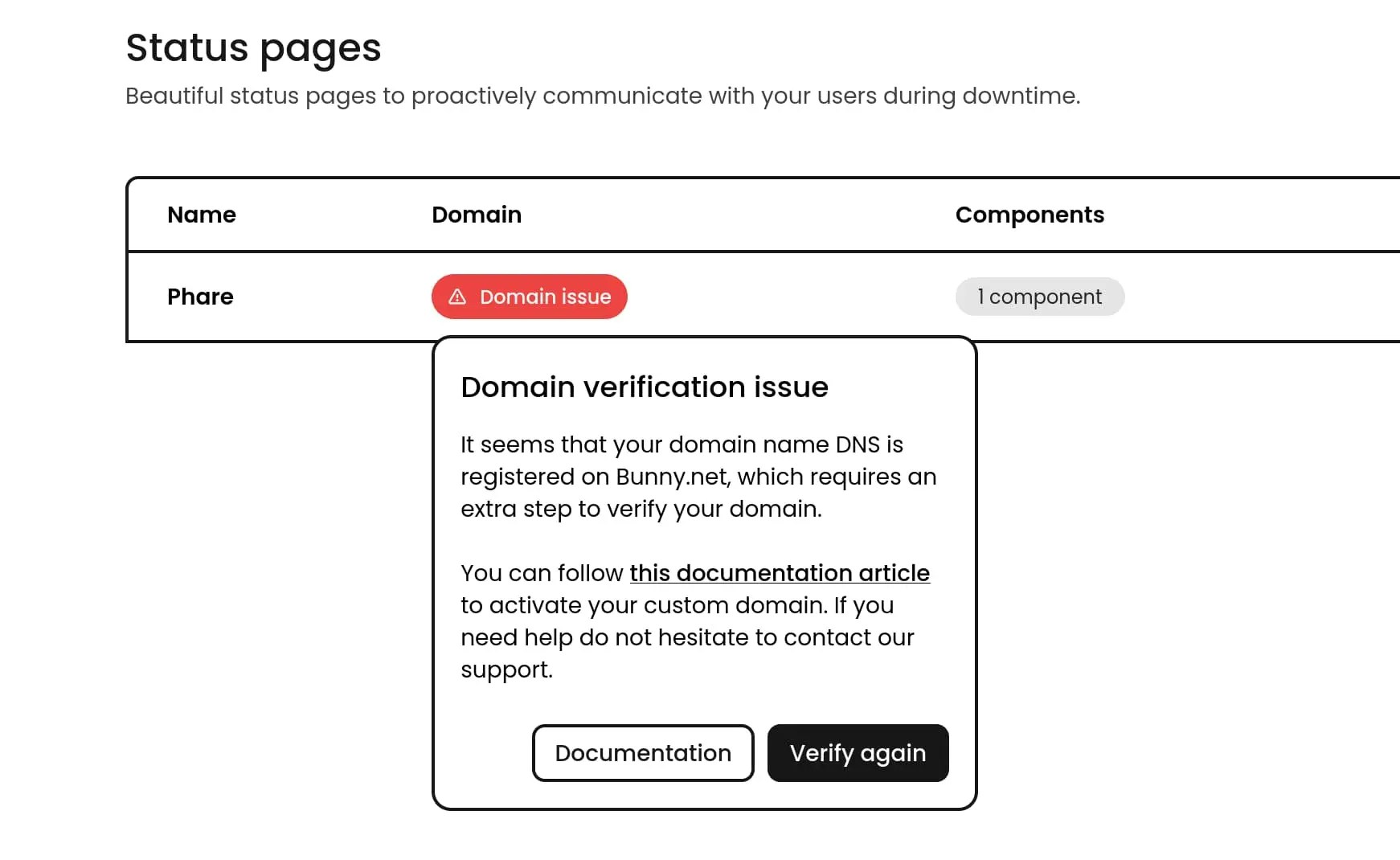
Since Phare also uses Bunny.net as a DNS and certificate provider, there's an extra security step, called **multi-domain**, required to make your domain work with Phare. Don't worry, it's quick and straightforward:
Add this TXT record to your DNS settings to help Bunny.net verify your request:
| Type | Name | Target |
| :--- | :----------------- | :-------------------- |
| TXT | status.example.com | Bunny Support - Phare |
Head over to your [Bunny.net support hub](https://dash.bunny.net/support/tickets) and create a new ticket.
Select the **DNS** department and send something like this (with your actual domain):
```text theme={null}
Hello Bunny.net team,
I created a CNAME entry for my subdomain status.example.com that points to cname.status.phare.io.
Phare.io is also using Bunny, and they need your authorization to add my subdomain on their PullZone and generate an SSL certificate for my subdomain. Could you please whitelist my domain for multi-use across the bunny platform? I've created a TXT record called `Bunny Support - Phare` as proof of ownership.
Thank you for being awesome!
```
Bunny's support team is usually quick, sit tight for a few minutes.
Once resolved, go back to your status page dashboard and hit the `Verify again` button to activate your custom domain.
### Custom domain with Bunny.net
Hello fellow Bunny enthusiast!
Since Phare also uses Bunny.net as a DNS and certificate provider, there's an extra security step, called **multi-domain**, required to make your domain work with Phare. Don't worry, it's quick and straightforward:
Add this TXT record to your DNS settings to help Bunny.net verify your request:
| Type | Name | Target |
| :--- | :----------------- | :-------------------- |
| TXT | status.example.com | Bunny Support - Phare |
Head over to your [Bunny.net support hub](https://dash.bunny.net/support/tickets) and create a new ticket.
Select the **DNS** department and send something like this (with your actual domain):
```text theme={null}
Hello Bunny.net team,
I created a CNAME entry for my subdomain status.example.com that points to cname.status.phare.io.
Phare.io is also using Bunny, and they need your authorization to add my subdomain on their PullZone and generate an SSL certificate for my subdomain. Could you please whitelist my domain for multi-use across the bunny platform? I've created a TXT record called `Bunny Support - Phare` as proof of ownership.
Thank you for being awesome!
```
Bunny's support team is usually quick, sit tight for a few minutes.
Once resolved, go back to your status page dashboard and hit the `Verify again` button to activate your custom domain.
 #### Known Issues
If you remove your domain name from **your own** Bunny DNS account, and later try to add it back, you will encounter the following error:
It appears that the domain, or a subdomain of it, is already registered in
another account.
This is due to the way Bunny handles domain ownership verification. When you remove the domain from your account, it will still be registered on Phare's account to handle your status page, preventing you from re-adding it.
**How to fix:**
1. [Disable your status page](https://app.phare.io/uptime/status-pages) in Phare
2. [Add your domain](https://dash.bunny.net/dns/zones) back to your Bunny account
The multi‑domain setting that was previously enabled by Bunny's support agents will stay active, allowing you to recreate your status page right away.
Having trouble? [Contact support](https://phare.io/contact).
## Subscription
Your users can stay informed about your service's status with automatic update subscriptions. Phare status pages come with built-in RSS and ATOM feeds, allowing for easy integration with various platforms.
### RSS and ATOM feeds
Every status page automatically includes feed endpoints that users can subscribe to:
* **RSS feed**: Available at `https://status.example.com/history.rss` or `https://example.status.phare.io/history.rss`
* **ATOM feed**: Available at `https://status.example.com/history.atom` or `https://example.status.phare.io/history.atom`
### Slack feed
Phare provides a dedicated Slack-compatible RSS feed for easy integration with Slack workspaces:
* **Slack RSS feed**: Available at `https://status.example.com/history.slack.rss` or `https://example.status.phare.io/history.slack.rss`
To subscribe in Slack, use the command:
```
/feed subscribe https://status.phare.io/history.slack.rss
```
### Subscribing to feeds
Your users can subscribe to the standard RSS/ATOM feeds using:
1. **Feed readers**: Apps like Feedly, Inoreader, or NewsBlur
2. **Email notifications**: Services that convert feeds to email alerts
3. **Other integrations**: Many platforms like Microsoft teams or Discord can connect to standard RSS/ATOM feeds for notifications
The number of subscribers is currently unlimited on any Phare plan at no extra cost.
## Access control
Access control are only available with a Scale plan subscription
By default, status pages are publicly accessible. You can restrict access using three complementary control mechanisms.
Multiple access controls can be activated to fit your needs, they are evaluated in order:
1. If the visitor's IP is in the allowlist → access is granted
2. If the URL includes a valid token query parameter → access is granted
3. If a password is configured → the visitor is redirected to a login page
### IP allowlist
#### Known Issues
If you remove your domain name from **your own** Bunny DNS account, and later try to add it back, you will encounter the following error:
It appears that the domain, or a subdomain of it, is already registered in
another account.
This is due to the way Bunny handles domain ownership verification. When you remove the domain from your account, it will still be registered on Phare's account to handle your status page, preventing you from re-adding it.
**How to fix:**
1. [Disable your status page](https://app.phare.io/uptime/status-pages) in Phare
2. [Add your domain](https://dash.bunny.net/dns/zones) back to your Bunny account
The multi‑domain setting that was previously enabled by Bunny's support agents will stay active, allowing you to recreate your status page right away.
Having trouble? [Contact support](https://phare.io/contact).
## Subscription
Your users can stay informed about your service's status with automatic update subscriptions. Phare status pages come with built-in RSS and ATOM feeds, allowing for easy integration with various platforms.
### RSS and ATOM feeds
Every status page automatically includes feed endpoints that users can subscribe to:
* **RSS feed**: Available at `https://status.example.com/history.rss` or `https://example.status.phare.io/history.rss`
* **ATOM feed**: Available at `https://status.example.com/history.atom` or `https://example.status.phare.io/history.atom`
### Slack feed
Phare provides a dedicated Slack-compatible RSS feed for easy integration with Slack workspaces:
* **Slack RSS feed**: Available at `https://status.example.com/history.slack.rss` or `https://example.status.phare.io/history.slack.rss`
To subscribe in Slack, use the command:
```
/feed subscribe https://status.phare.io/history.slack.rss
```
### Subscribing to feeds
Your users can subscribe to the standard RSS/ATOM feeds using:
1. **Feed readers**: Apps like Feedly, Inoreader, or NewsBlur
2. **Email notifications**: Services that convert feeds to email alerts
3. **Other integrations**: Many platforms like Microsoft teams or Discord can connect to standard RSS/ATOM feeds for notifications
The number of subscribers is currently unlimited on any Phare plan at no extra cost.
## Access control
Access control are only available with a Scale plan subscription
By default, status pages are publicly accessible. You can restrict access using three complementary control mechanisms.
Multiple access controls can be activated to fit your needs, they are evaluated in order:
1. If the visitor's IP is in the allowlist → access is granted
2. If the URL includes a valid token query parameter → access is granted
3. If a password is configured → the visitor is redirected to a login page
### IP allowlist
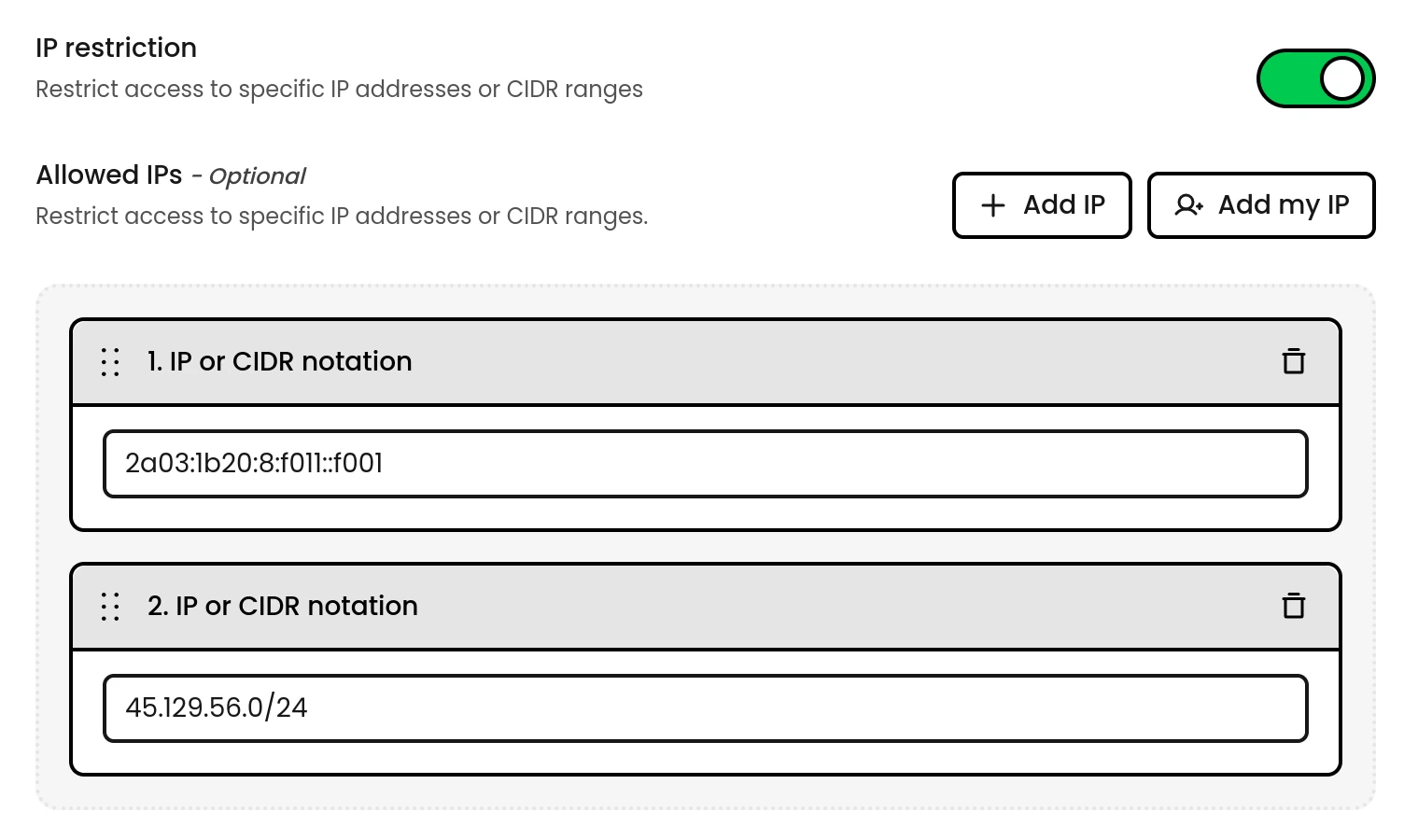 IP restrictions are the most seamless option when everyone accesses the page from a shared network or VPN.
Define individual IPv4 addresses or CIDR ranges that are granted access automatically, with no token or password required. Requests from listed addresses bypass all other checks.
Common use cases:
* Office or campus networks
* VPN exit nodes
* CI/CD infrastructure polling badges or feeds
### Access token
IP restrictions are the most seamless option when everyone accesses the page from a shared network or VPN.
Define individual IPv4 addresses or CIDR ranges that are granted access automatically, with no token or password required. Requests from listed addresses bypass all other checks.
Common use cases:
* Office or campus networks
* VPN exit nodes
* CI/CD infrastructure polling badges or feeds
### Access token
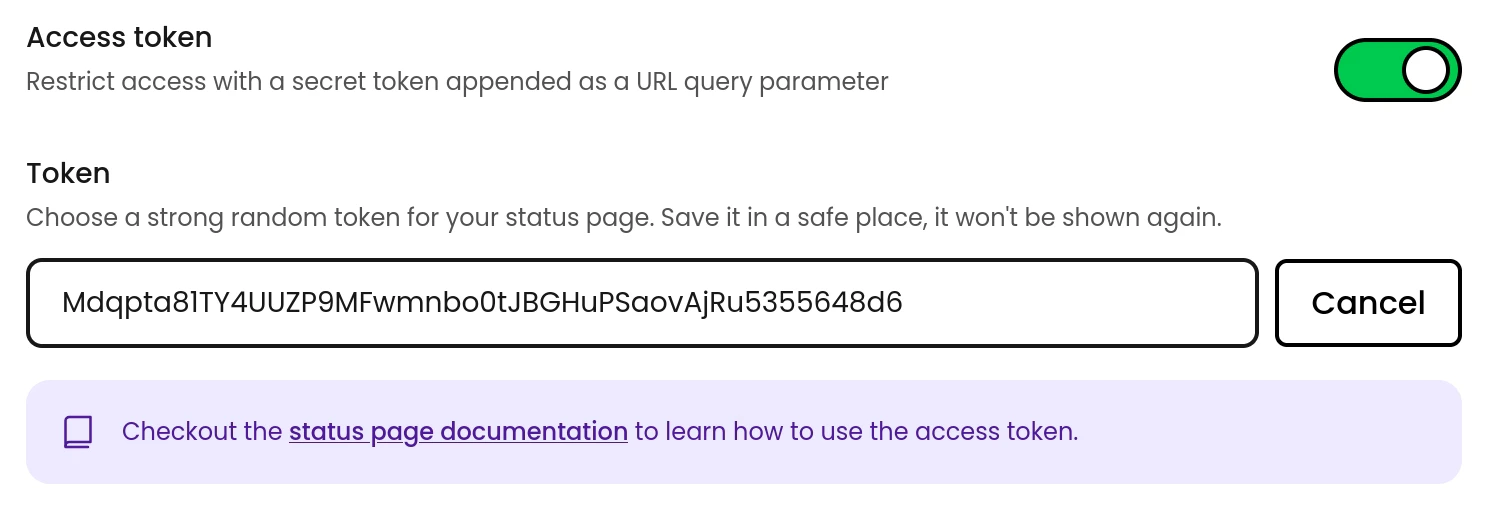 Tokens are ideal for programmatic access like RSS/Atom feeds, or showing embedded badges on internal resources.
Append a secret `token` query parameter to any status page URL to grant access. The token works on the main page, feeds, and badge endpoints:
```
https://example.status.phare.io?token=
https://status.example.com/history.rss?token=
https://status.example.com/embed-badges/static-status?token=
```
When a browser visits a URL with a valid token, a session cookie is set automatically, subsequent visits from that browser won't need the token for 1h.
### Access password
Tokens are ideal for programmatic access like RSS/Atom feeds, or showing embedded badges on internal resources.
Append a secret `token` query parameter to any status page URL to grant access. The token works on the main page, feeds, and badge endpoints:
```
https://example.status.phare.io?token=
https://status.example.com/history.rss?token=
https://status.example.com/embed-badges/static-status?token=
```
When a browser visits a URL with a valid token, a session cookie is set automatically, subsequent visits from that browser won't need the token for 1h.
### Access password
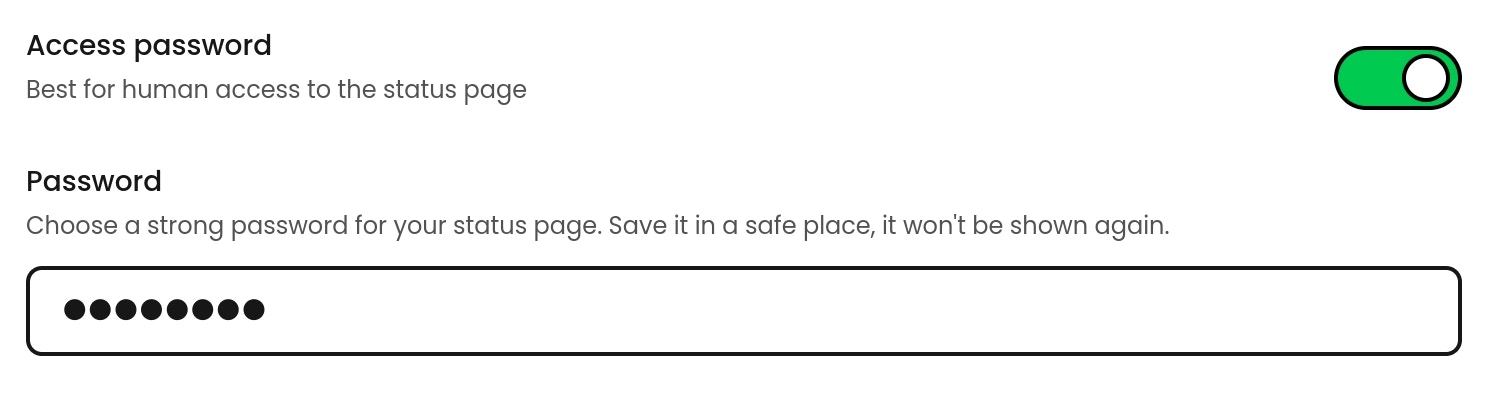 Passwords are the simplest option for human visitors who access the page through a regular browser.
When a password is configured, visitors are prompted with a login screen before they can view the status page. This works well for internal pages shared with team members or customers.
## Status badges
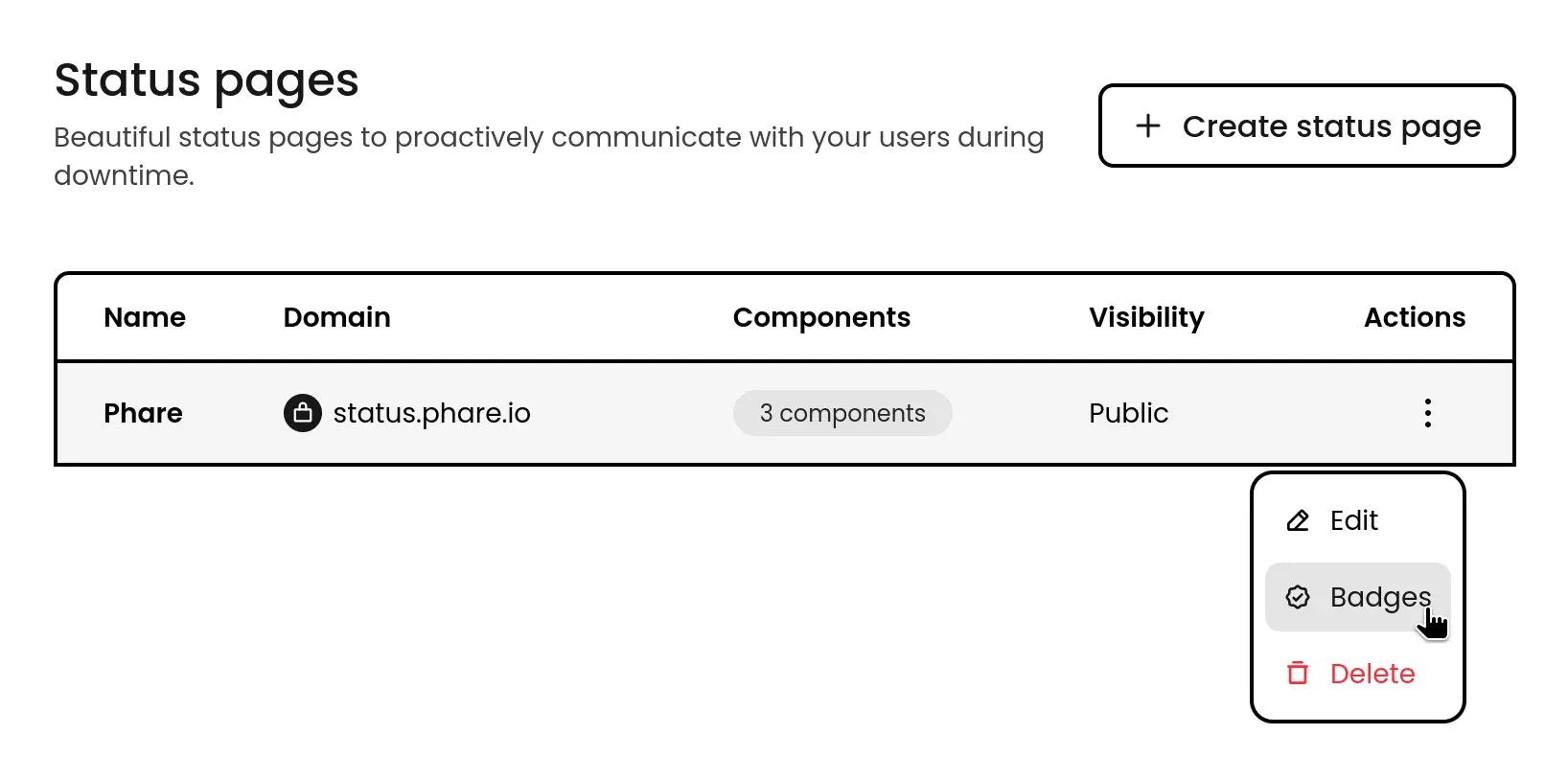
Once your status page is live, you get access to status badges you can proudly display on your website or repository. They're a great way to show transparency and confidence in your service reliability. Access them through your status page's action menu.
Passwords are the simplest option for human visitors who access the page through a regular browser.
When a password is configured, visitors are prompted with a login screen before they can view the status page. This works well for internal pages shared with team members or customers.
## Status badges
Once your status page is live, you get access to status badges you can proudly display on your website or repository. They're a great way to show transparency and confidence in your service reliability. Access them through your status page's action menu.
 ### Embed badges
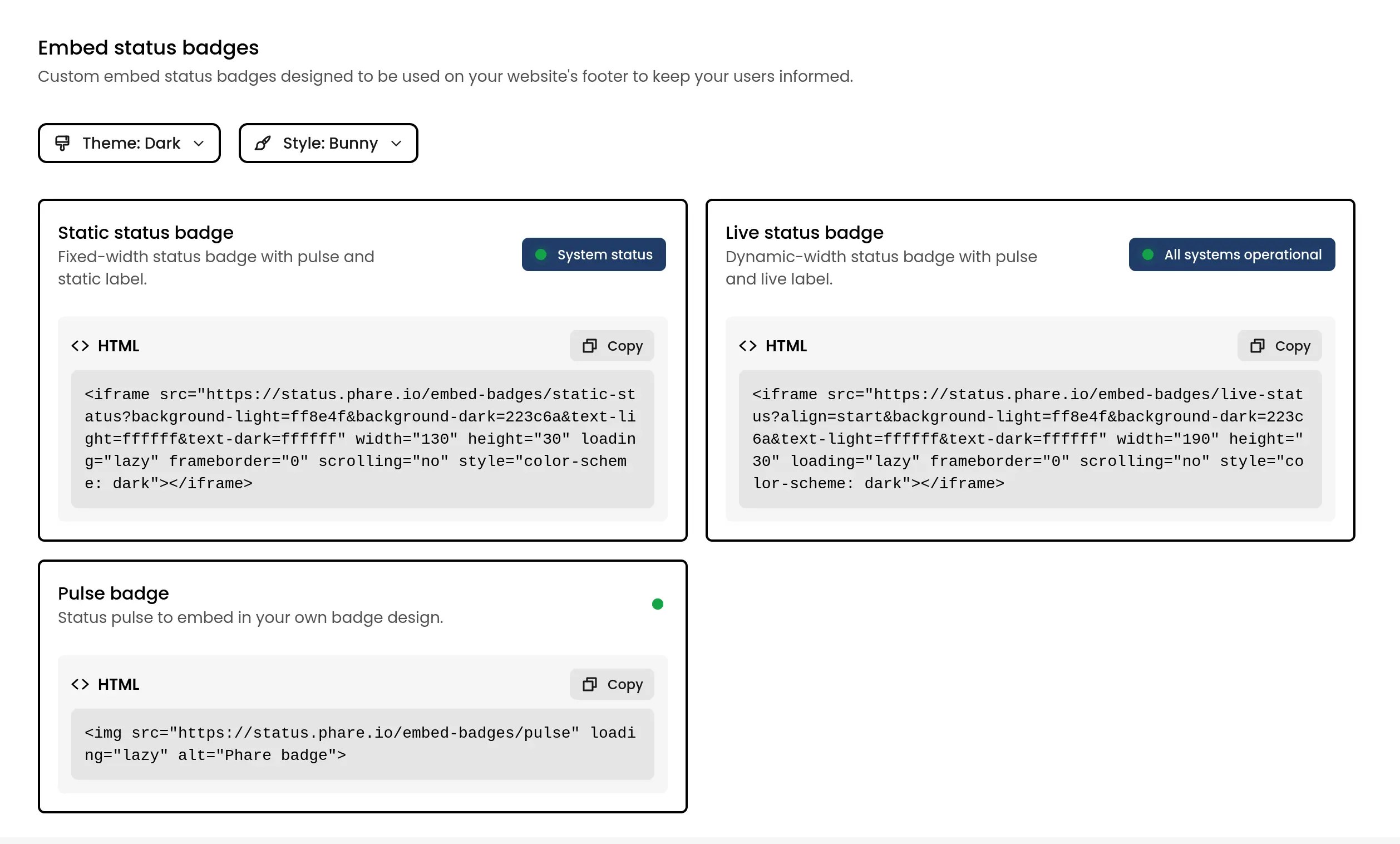
These badges are designed for your website and can be customized to fit right in with your design. They adapt to light/dark themes or can be forced to either style. You can adjust:
* `align`: For the live status badge positioning. Options: `start`, `center`, or `end`.
* `background-light`: Background color in light mode.
* `background-dark`: Background color in dark mode.
* `text-light`: Text color in light mode.
* `text-dark`: Text color in dark mode.
Colors accept standard hex formats (RGB, RGBA, RRGGBB, or RRGGBBAA). Not feeling creative? There's already some stylish presets ready to go.
### Embed badges
These badges are designed for your website and can be customized to fit right in with your design. They adapt to light/dark themes or can be forced to either style. You can adjust:
* `align`: For the live status badge positioning. Options: `start`, `center`, or `end`.
* `background-light`: Background color in light mode.
* `background-dark`: Background color in dark mode.
* `text-light`: Text color in light mode.
* `text-dark`: Text color in dark mode.
Colors accept standard hex formats (RGB, RGBA, RRGGBB, or RRGGBBAA). Not feeling creative? There's already some stylish presets ready to go.
 ### Shield badges
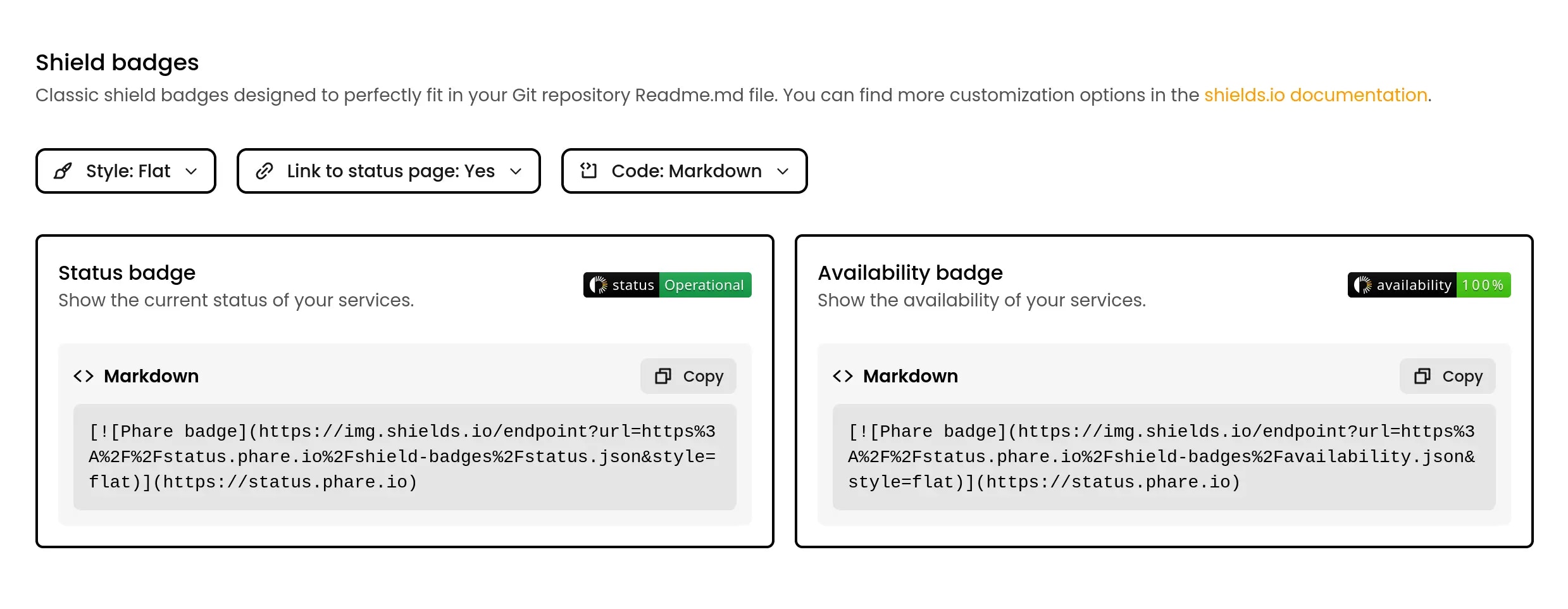
These are the classic badges you see in GitHub repositories. Perfect for your README file, they come in all the popular shield styles. Based on the [Shields.io](https://shields.io) service, they're [fully customizable](https://shields.io/badges/endpoint-badge) to match your project's look.
### Shield badges
These are the classic badges you see in GitHub repositories. Perfect for your README file, they come in all the popular shield styles. Based on the [Shields.io](https://shields.io) service, they're [fully customizable](https://shields.io/badges/endpoint-badge) to match your project's look.