
Setup
Create a heartbeat from the Heartbeats page of your project, give it a name, and tell Phare how often your job runs. The heartbeat page then shows its setup instructions, with a snippet for the tool that runs your job.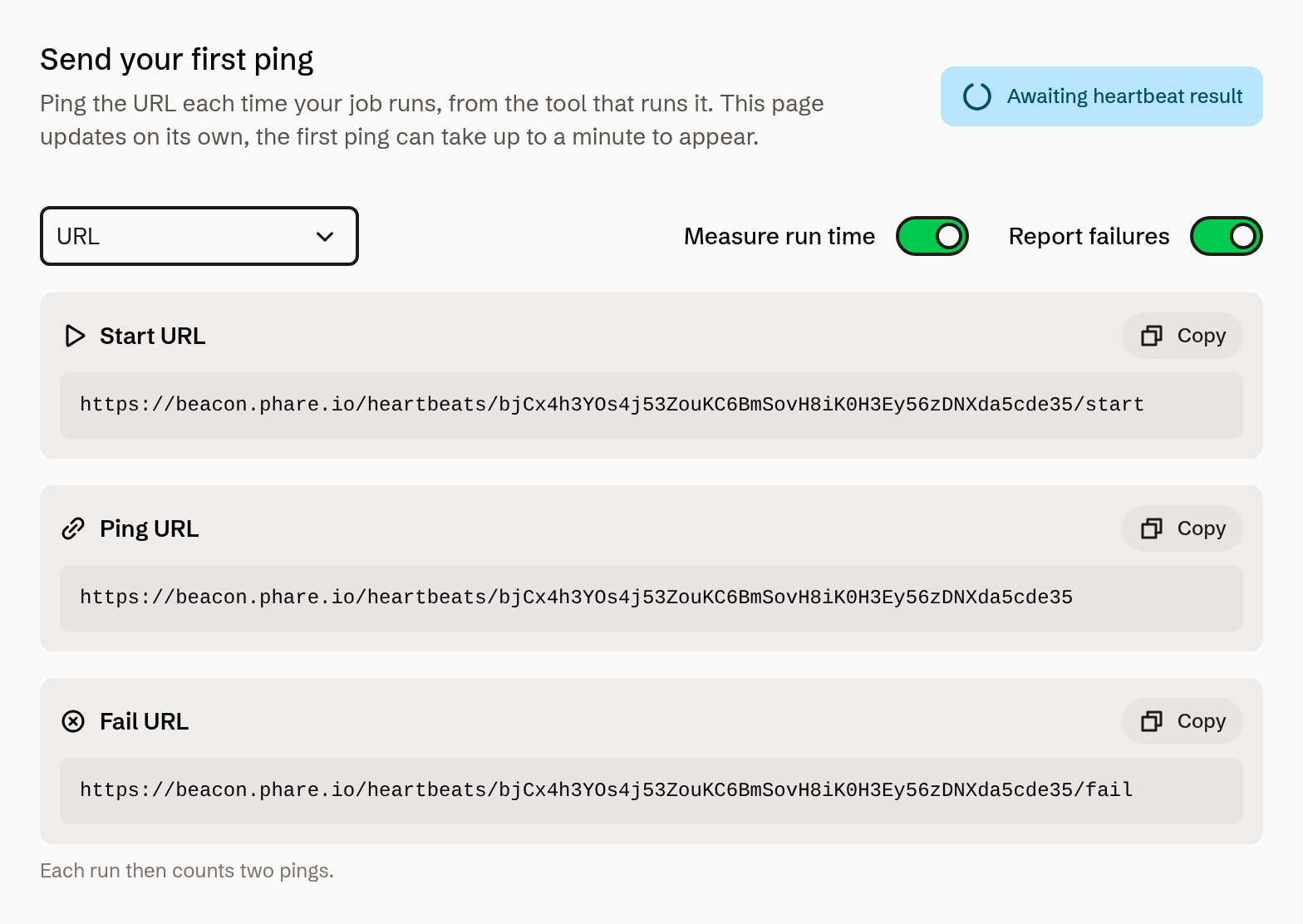
Ping URL
Every heartbeat has its own ping URL:GET, HEAD or POST each time your job succeeds, from the job itself or from the tool that runs it. No agent or SDK is needed: anything that can make an HTTP request can ping a heartbeat.
The ping URL is a secret: anyone who knows it can ping your heartbeat. If it leaks, rotate it.
Report a failure
Without a ping, Phare waits for the end of the grace period before creating an incident. When your job knows it failed, it can say so right away by requesting the fail URL, the ping URL followed by/fail:
Measure the run time
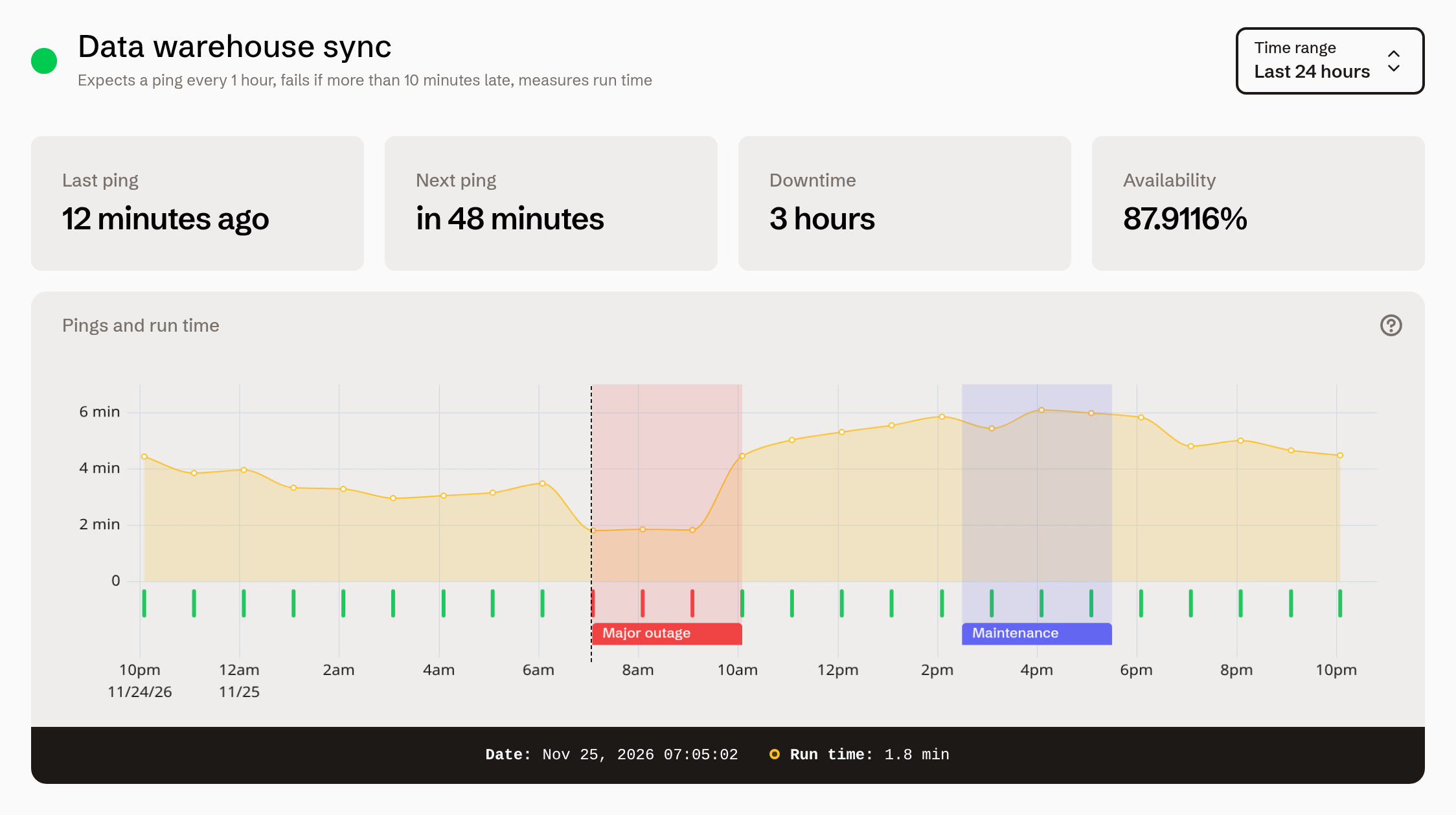
To know how long your job takes, request the start URL when it begins, the ping URL followed by/start:
duration parameter of the ping URL or the fail URL:
A run with a start ping counts two pings instead of one, so the heartbeat uses twice the monitoring events. It counts one ping again after 31 days without a start ping.
Send a message
APOST request can carry a message in its body, like the output of your job or the error it failed with. Phare keeps the last 2,000 characters, where a job usually prints what went wrong.
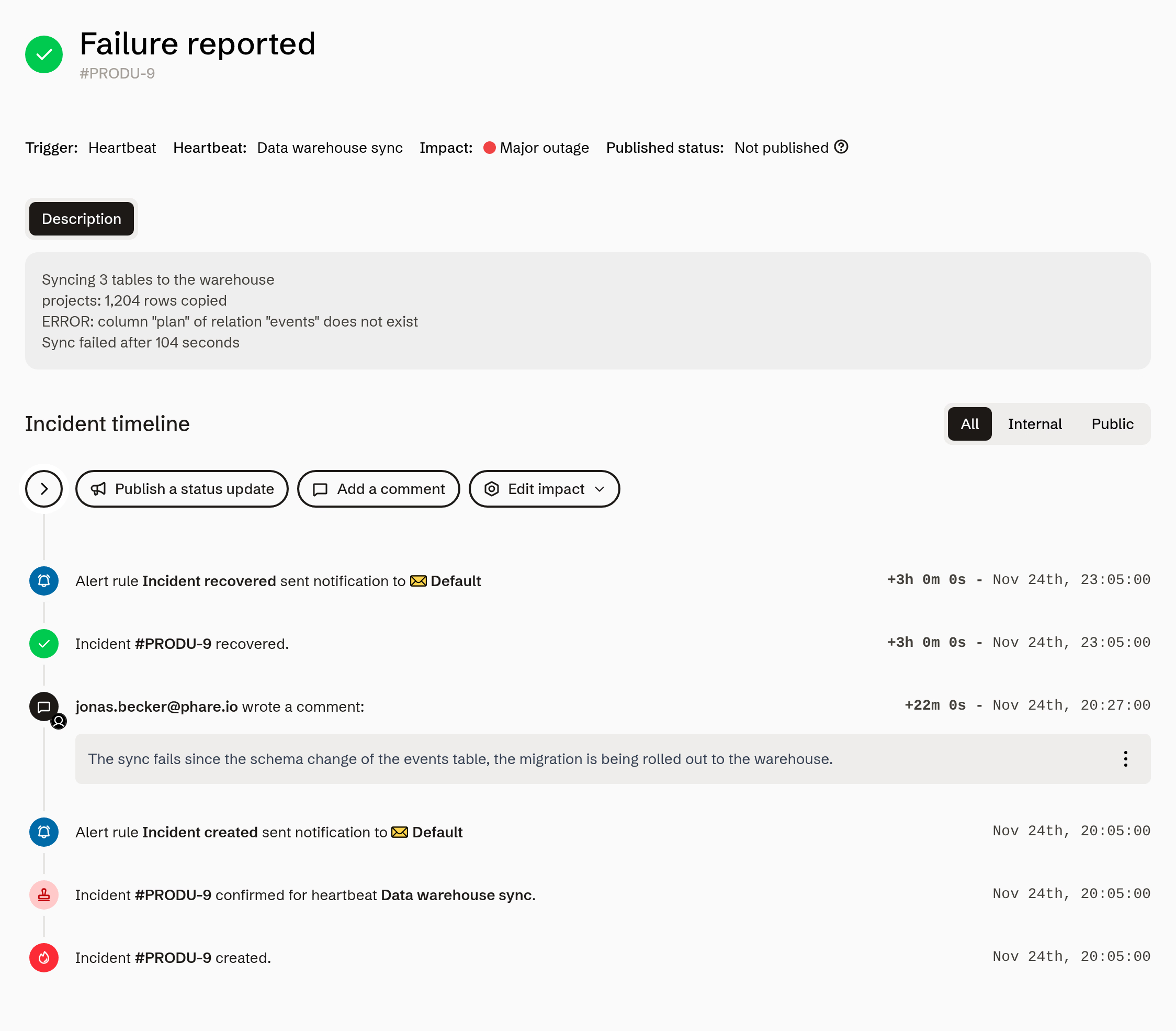
When a ping creates an incident, its message becomes the description of the incident, line breaks included. The reason for the failure is then in front of you, not in a log file on the server.
Examples
The snippets below measure the run time of the job, ping the heartbeat when it succeeds, and report a failure with its error when it does not. Replace the schedule and the job with your own.-m 10 gives up after 10 seconds so a network issue never blocks your job, and --retry 5 sends the ping again when it could not be delivered. The start ping never stops the job from running, even when Phare can’t be reached.
Responses
Pings are processed every minute, so a ping can take up to a minute to show on the heartbeat page.
Schedule
The schedule of a heartbeat is made of two durations: how often a ping is expected, and how late it can be.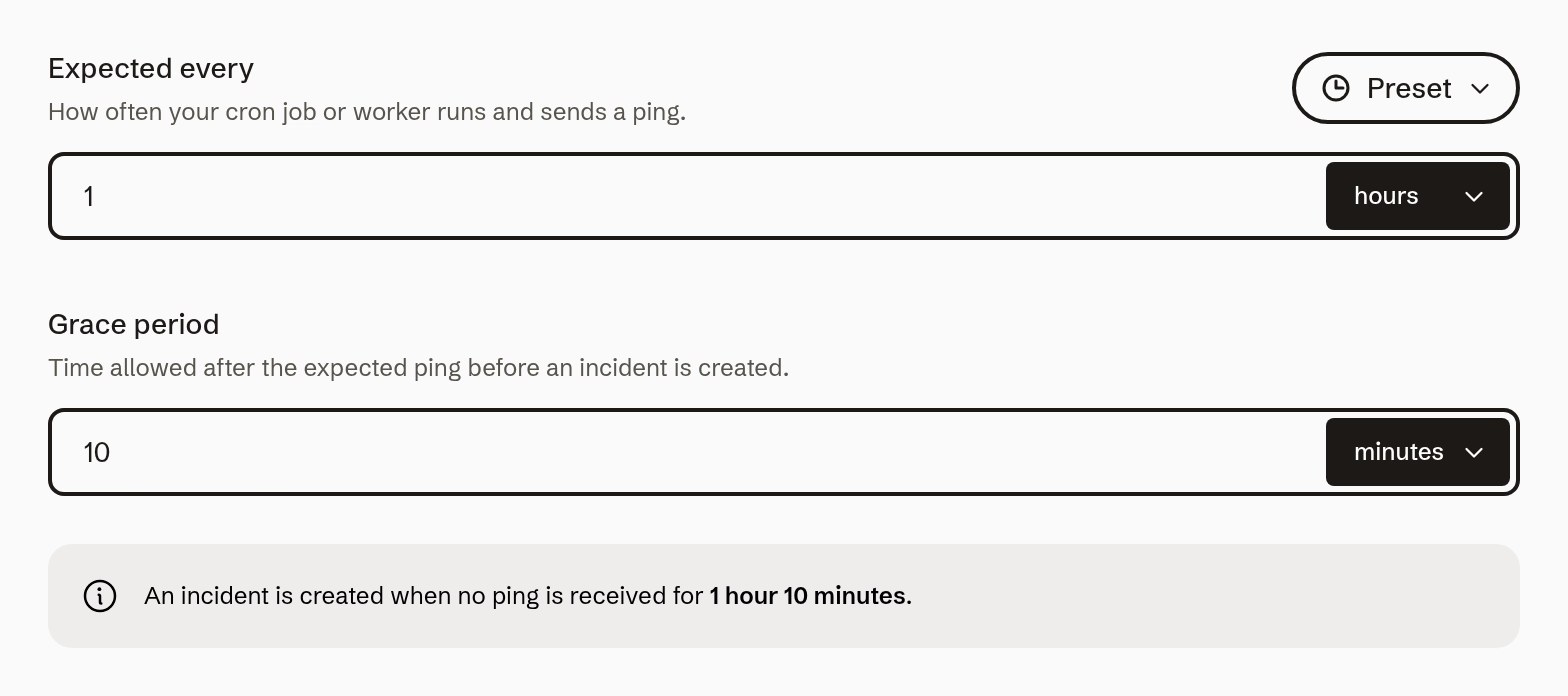
Interval
The interval is the time between two runs of your job, anywhere between 1 minute and 31 days. Presets are available for the most common schedules, from every minute to every month. Heartbeats don’t read cron expressions: they count from the last ping: each ping, successful or not, starts a new countdown. For a job that does not run at regular intervals, like a report sent on weekdays only, use the longest time between two runs.Grace period
The grace period is the time allowed after the expected ping before an incident is created, anywhere between 1 minute and 7 days. Jobs rarely take the same time twice, set it a little longer than your slowest run to avoid false alarms. An incident is created when no ping is received for the interval plus the grace period. A heartbeat expected every hour with a grace period of 10 minutes fails 1 hour and 10 minutes after its last ping. When the run time is measured, the grace period is also the time a started run has to finish. Changing the interval or the grace period starts a new countdown from the time of the change, so a shorter interval never creates an incident for the time already spent.Statuses
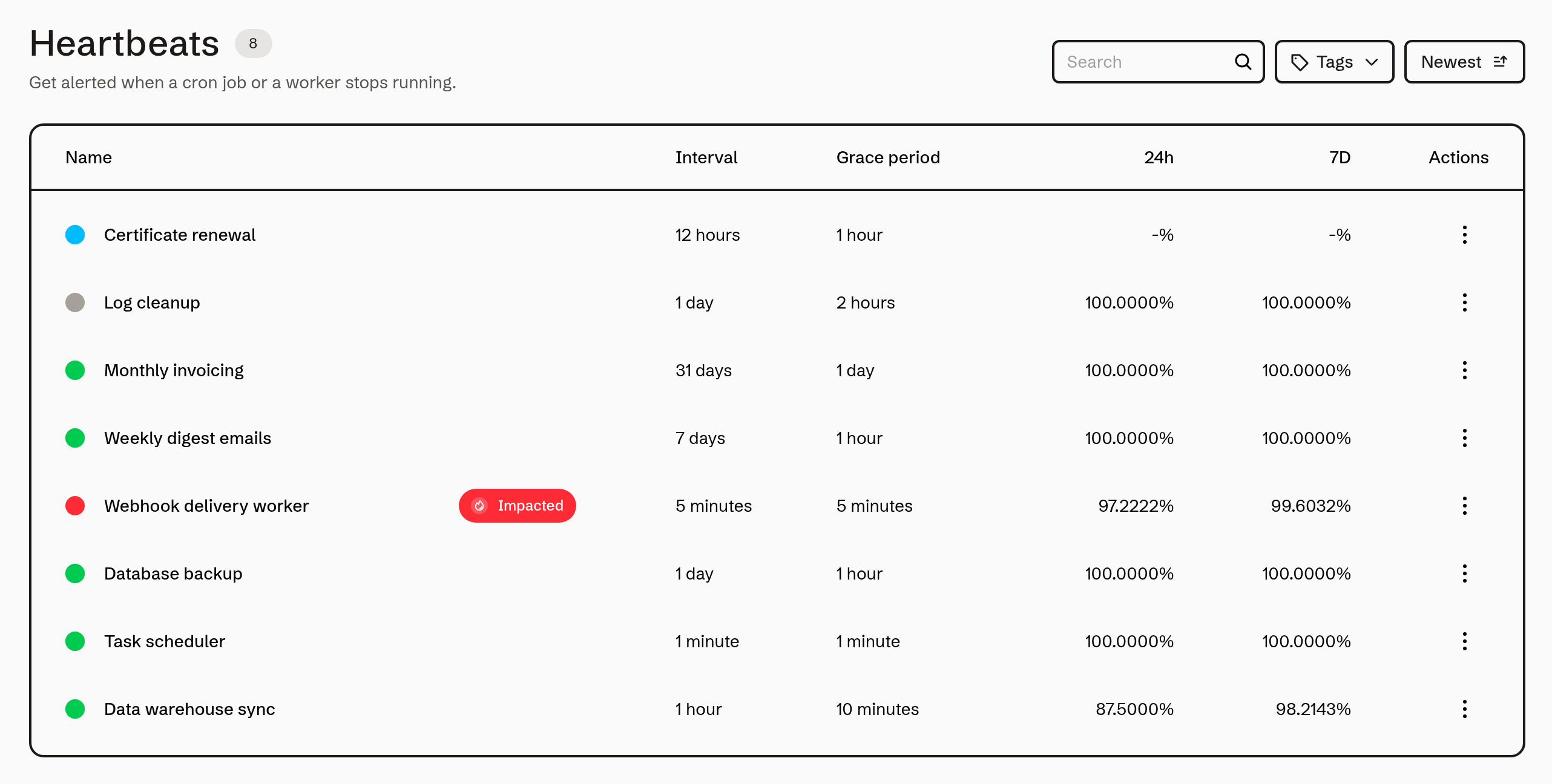
Confirmations & recovery
By default, the first missed ping or reported failure creates an incident, and the first successful ping resolves it. For a job known to be flaky, you can require up to five consecutive missed pings or failures before an incident is created, and up to five consecutive successful pings before it is resolved. Each confirmation after the first waits for one more interval: with 2 confirmations, a heartbeat expected every hour with a grace period of 10 minutes fails 2 hours and 10 minutes after its last ping.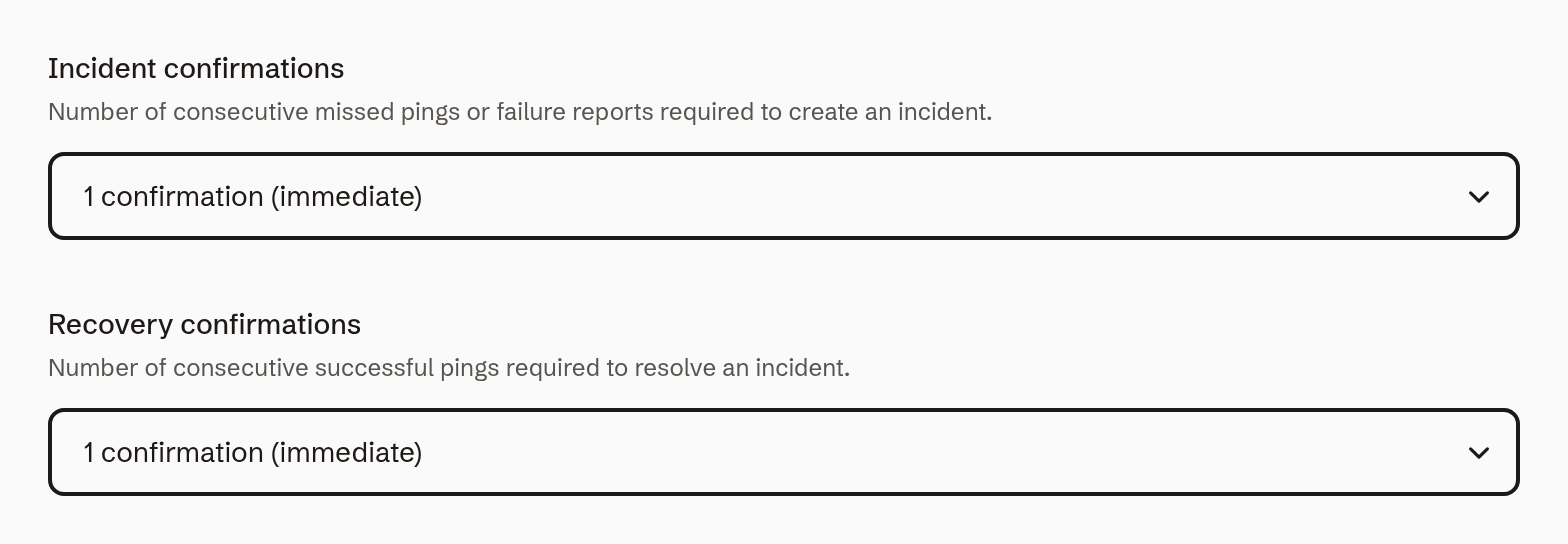
Incidents
A heartbeat creates the same incidents as a monitor, with their timeline, comments and status updates:- No ping received: The heartbeat did not receive a ping within its interval and grace period. The job may have stopped running, or failed before sending its ping.
- Failure reported: The job requested the fail URL of the heartbeat.
- Run did not finish: The job sent a start ping, but sent no ping or failure within the grace period. The job may be stuck, or may have crashed before sending its ping.
Alert rules
Heartbeats don’t have their own alert events: they use the incident events: an alert rule on the Incident created event notifies you when a heartbeat goes offline, and one on the Incident recovered event when it is back.Status pages
Heartbeats can be added to your status pages as components, on their own or in a group, next to your monitors. Their incidents and maintenance windows are shown on the status page like the ones of a monitor. Set a display name to show a friendlier name on your status pages: your customers may care more about “Reports” than “Data warehouse sync”.Maintenance windows
Add heartbeats to a maintenance window when the servers running your jobs are being worked on:- With the Pause monitoring mode, the heartbeats are paused when the maintenance window starts, and resumed when it ends.
- With the Mute monitoring mode, the heartbeats keep expecting their pings, but the alerts of their incidents are not sent.
Pause a heartbeat
Pause a heartbeat from its page or from the heartbeats list when its job is stopped on purpose. A paused heartbeat ignores its pings, expects none, and does not use any monitoring event. When resumed, a heartbeat that was already pinged expects its next ping within its interval and grace period.On the Hobby plan, a heartbeat that stays offline for 72 hours is paused automatically, and your organization is notified by email.
Rotate the ping URL
If the ping URL of a heartbeat ends up where it should not, choose Rotate URL in the Actions menu of the heartbeat page to replace it. The previous URL stops working at once, so update your job with the new one.Tags
Heartbeats can be organized with tags, such asenvironment:production or team:platform, shared across your whole organization. Use the Tags filter on the heartbeats list, or the tag parameter of the list heartbeats API endpoint, to find related heartbeats.
Statistics
Monitoring events
A heartbeat uses one monitoring event each time a ping is expected, or two when its run time is measured with a start ping, with a minimum of 5,000 events per month. The heartbeat form shows the estimate and its impact on your quota before you save. Check Measure run time in the form to include the start pings in the estimate. This option only changes the estimate, the run time is measured as soon as your job sends its first start ping.Automation
Heartbeats can be created and managed with the API and the MCP server, useful when every new scheduled job should come with its own heartbeat.Limits
- 10 pings per minute: A heartbeat accepts up to 10 pings per minute, start pings and failures included. Additional pings get a
429response. - One minute precision: Pings are processed every minute, so the shortest interval and grace period are 1 minute.
- 2,000 characters per message: Only the end of a longer message is kept.